FAQ
Short answers to the questions people ask in their first week, each with the place to go.
- Who it is for
- New to Bellwether
- Reading time
- 7 min read
- Updated
Short answers, each with the to open. If yours is not here, search the help center or ask , which answers from these same articles.
Does Bellwether move money?
No. It places orders in a brokerage account you own; deposits, withdrawals and statements happen at the broker, never here. Accounts shows the account, read-only.
Can it switch itself to real money?
No. Your book runs on a and the PAPER pill in the top bar says so. Going live is a deployment change made by the operator after the checklist on Go live passes; no button in this build does it, for anyone, and a live flag that does not match the deployment halts trading instead of trading live. See paper vs live.
What happens if I ignore a card?
It expires unsent at the end of its , and the PM is told you did not decide in time so it can re-propose at a fresh price if the idea still holds. Nothing is placed without a yes; see thesis windows.
Can I place a trade myself?
Yes. Press Place an order on any symbol in Markets, or type the order in Consult and confirm the card it drafts; either way it asks for your , becomes a with you as its author and passes every risk check the desk's orders face. See place a trade yourself; for getting the desk to trade sooner, see How do I get it to trade?.
Why is the Inbox empty?
Because nothing needs you: either the PM proposed nothing, or every order was at or under your and cleared the checks on its own (see Decided today in the Inbox). The threshold is the dial on Strategy › Profile › Autonomy; no trades today lists the other reasons.
What does Pause trading do?
It makes the book reduce-only within about 5 seconds, from any screen, with no code (owners and operators only): no new buys go out, buy orders still resting at the broker are cancelled, and queued or approved buys are blocked. Open positions are kept, and sells still go (a trim or close the PM proposed, a sell card you approve, and the 's own stop and target exits), so a never traps you in a falling position. Nothing is sold because of the halt; selling everything is , which the Executor carries out within seconds of your request. Resume lives in the halt banner and on Risk and asks for your authenticator code. Kill switch covers both.
Is my data shared with other books?
No. Every book is kept apart from every other. Every query is scoped to one book, and a cross-book action is blocked and alerted. Only people you invite or give read-only access on the People page (Admin › People, or Settings › People for an operator of their own book) see it.
Can I use it from my phone?
Yes. The console is a website with a phone layout, and a card can be approved from it. Turn on phone notifications with Notify this device under Settings › Notifications (on an iPhone, add Bellwether to your Home Screen first). The approval email reaches you as well once email is switched on, rather than only being saved.
What does it cost per day?
Model usage: a few dollars on a normal day, capped by the per-day token budget, a deployment setting that defaults to $25 per book. The Model spend tile on Overview shows today's spend against it; once it is spent, sessions refuse to start until midnight CT. The day in words on Overview says the last trading day's spend next to its result, net of AI cost.
Why does it ask for my code again?
Dangerous actions (Resume, Flatten, loosening a limit or , raising , a , connecting broker keys, inviting a user) want a code entered in the last 30 minutes, checked on the server, however recently you signed in; a few critical ones (autonomy to Full, inviting another owner, re-issuing a user's setup link, disabling or re-enabling a user, resetting your own , API tokens, anything on Admin) want one from the last 5 minutes. Halting never asks. See account security.
Can the PM trade a stock that is not on the Watchlist?
Yes. The Watchlist is attention, not a fence; any US exchange-listed stock, ADR or ETF can be proposed, and the Executor screens each buy for price, history, liquidity, spread and your on Risk › Universe.
Guidance note or hard constraint?
A is something the PM must and may disagree with, in writing. A hard constraint is enforced by the Executor: a buy that breaks it is rejected before the run. Both are written on Strategy › Guidance; a hard constraint asks for your code (hard constraints).
Does Consult see my sessions? Does the PM see Consult?
Consult reads the same and recent decisions the PM does, so it can explain one. The PM never sees your Consult chats; it only sees what you confirm from them: a guidance note, a watch level, or a question put to its next run. Confirming a card applies it in the same step and writes an audit line (see Consult).
How do I undo a setting change?
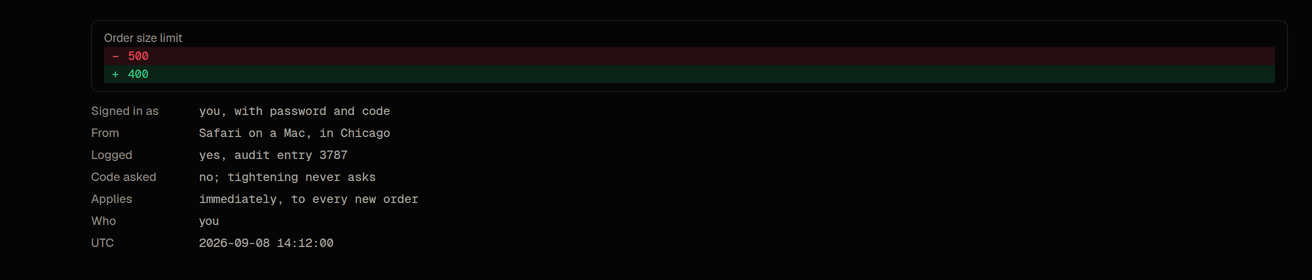
There is no undo button. Activity › Config changes shows every change with its before and after and who made it; set the value back on the screen that owns it. Tightening is one click, loosening asks for a code.
How do I get help?
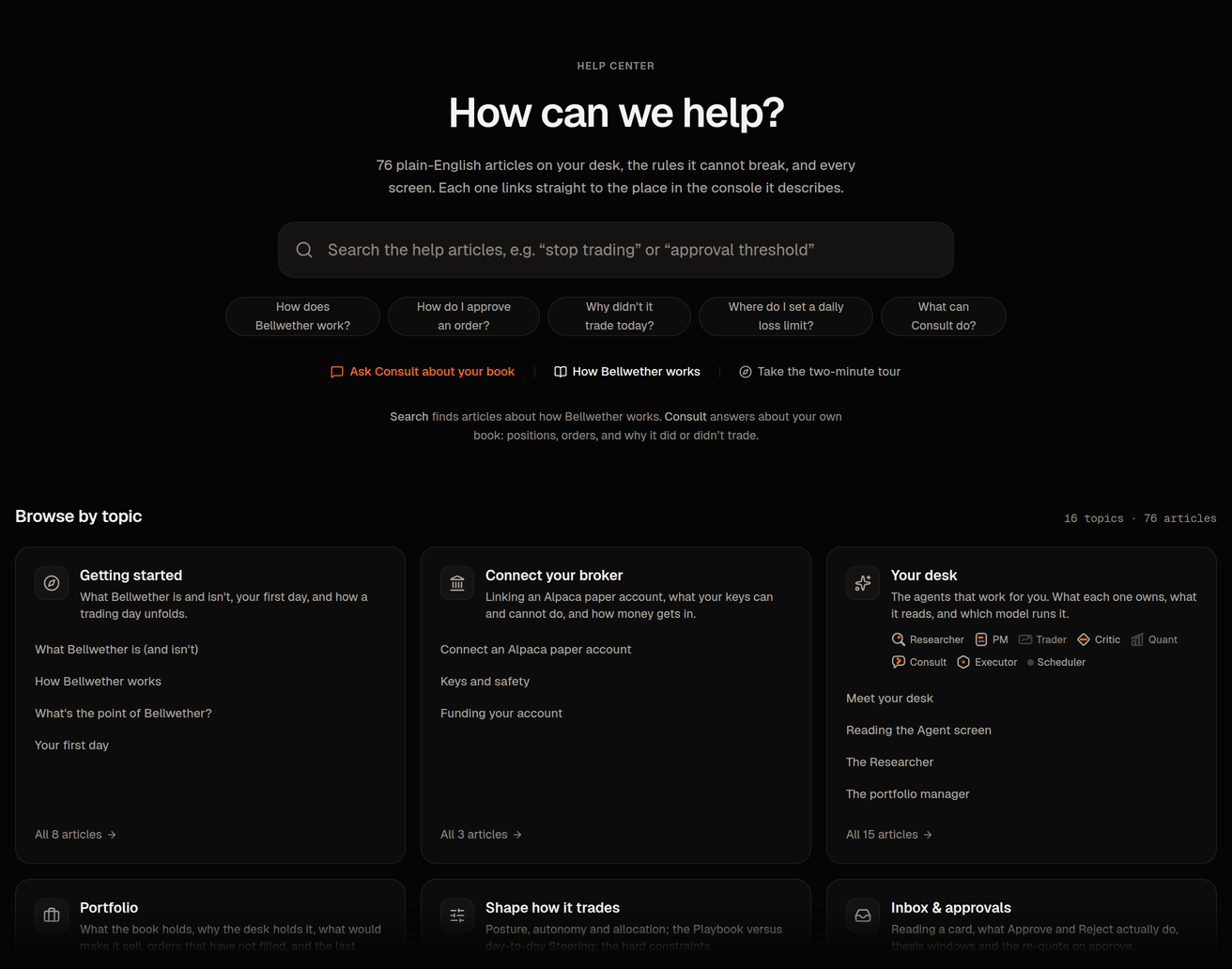
This help center: Help in your account menu, Help, ⌘K, or the ? beside any screen's title (it opens the article for that screen in a side panel). Ask Consult where something is: its help_search, help_open and where_is tools read these articles and cite them. For a problem, press the flag in the top bar (on a phone, More › Report); the screen you were on is attached and what you write is read the next morning.
What does the light at the top of the screen mean?
It shows two things. Behind every screen there is a dark room lit softly from above, and that light shows what the desk is doing. A faint warm gray means the desk is idle. Orange means it is working on a session right now. Amber means it has stopped to wait for you. When trading is paused or halted the room goes neutral, a cool gray. While the market is closed the idle light is a little dimmer. The thin line under the top bar answers a different question, which is whether anything is waiting on you. It turns amber and runs from wall to wall while anything waits in the Inbox, even while the desk is busy with a session, so a working desk with items waiting shows an orange room over an amber line. A line that fades out at both ends means nothing is waiting, orange while the desk works and gray while it rests. When trading is paused or halted the line also runs from wall to wall, amber when a person paused it and red when a risk rule or a fault stopped it. The light changes once, over about a second, when the state changes, and nothing else in the background ever moves. It is never the only , because the top bar, the count beside Inbox and the halt banner say the same thing in words. It changes at once, with no fade, when your device asks for reduced motion. Choose On, Subtle or Off under Settings › Display, in the Ambient effects panel. The older display link still lands there. Subtle dims the light and the line, Off keeps the room and leaves the state out of it, and the choice is remembered for your login. The drifting points of light you see on the welcome and sign-in pages stay on those pages.
Where do I see what changed in a release?
What's new is the public list of releases, newest first and grouped by month. Each entry is numbered ("Release 42") with one sentence on what it is about and Read the notes, which opens what changed for you, what you may notice and what was switched on, in plain words. Each release links to the one before and the one after it, and a platform-update alert on your Overview links straight to its release. Changes that are only about looks are listed there too: the field of points on the public pages, the single set of controls every screen is built from, a line of wording on the landing page. None of those change what the desk trades; a release that does says so under what was switched on.
Why did the first page, or the first Consult answer, take a few seconds?
The console and Consult start on demand. After a quiet spell the first request wakes them, which can take a few seconds longer; the ones after it are fast. The Executor is not part of this: it runs all the time and keeps checking your positions and stops whether or not anyone is signed in.