The Quant desk
A desk that proposes blend, sleeve and parameter changes as Inbox cards you apply or, on Auto, applies bounded blend changes itself at the next session boundary, revertible for 7 days.
- Who it is for
- Owners & operators
- Reading time
- 4 min read
- Updated
The Quant is a desk role that measures rather than trades. After the close it runs a deterministic engine over realized attribution, the backtests and how the live has done, and turns that into : small, specific changes to how the are combined. It never places or sizes an order, never reads news, briefs or chat, and never touches the limits the enforces.
Where it lives
Three places, each with one job. What the Quant may do on its own (Off, Recommend, or Auto within a mandate) is set in exactly one place: the Tuning row of the Autonomy card· Strategy › Profile › Autonomy › Tuning (Off / Recommend / Auto) on Strategy › Profile. Its recommendation steps arrive in the Inbox under Recommendations, where you accept, dismiss or revert them. The recommender's target is the Suggested weights card on Signals › Suggestions, a tab of its own away from the live blend; after the close the Quant runs that same recommender and turns its own target into steps. The card says in words how many steps are waiting (with Review, or Run the Quant now when nothing is waiting), which mode the Quant is in ("The Quant only recommends; you decide each step in the Inbox") with a link to change it, and how far the blend is from the target ("2 of about 5 steps taken"). The chip above it reads "Quant: recommends only · change" and opens the Tuning row.
The Quant desk card on Desk › Quant holds the rest: the on/off switch· Desk › Quant, the scope· Desk › Quant › Scope (blend · sleeve advice · parameters · advice; parameters are opt-in), the model· Desk › Quant › Model and cadence· Desk › Quant › Cadence (nightly after the by default), the code bounds it may never cross, when the last run happened, the desk's own note, Run now, and links back to the Inbox and to the target on . The Algorithm blend· Signals itself is still edited on Signals and only there; provenance ("changed by Quant (auto) · revert") appears on any value the desk changed.
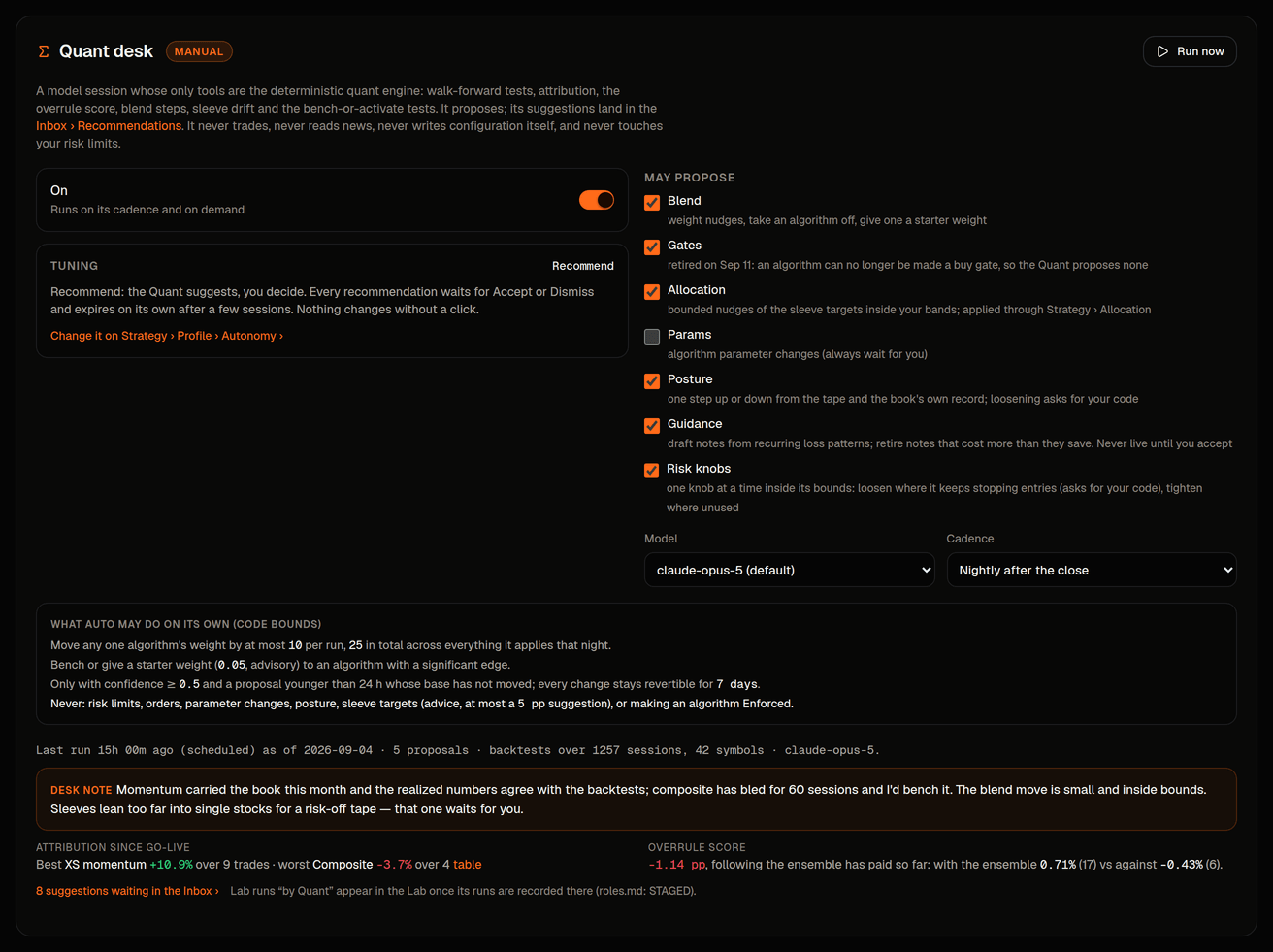
Recommend: cards you apply
Recommend is the default (older called it Manual). Every proposal is a Desk suggestion card in the Inbox (filter Desk suggestions) with the same shape as a trade card: what it wants to change, the engine's rationale and the Quant's note, a preview of the effect, "Show the numbers" (the table with the chosen row), Ask the Quant, and Accept or Dismiss. Applying writes the change through the same audited route you use by hand; dismissing is remembered so the Quant does not repeat itself. An undecided card expires after 24 hours and says so. Advice cards (posture, sleeve targets) have no Apply: they deep-link to Strategy › Profile, where those settings are edited.
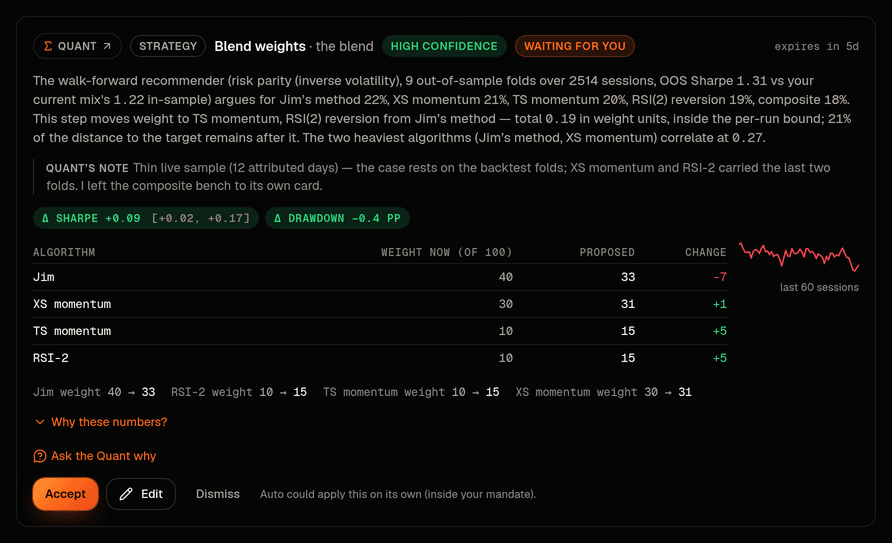
Auto: bounded, revertible, never Layer 1
Raising Tuning to Auto needs your and the word AUTO typed out; turning the desk off drops it back to Recommend. On Auto, bounded blend changes apply themselves at the next PM session boundary. They are applied by the console's own service, never by the model's process, which has no permission to write configuration at all. Before applying, the live values are re-read; if anything moved since the proposal was made it comes back to you as a manual card instead. Nothing older than 24 hours is applied; a single algorithm never moves more than 0.10 and a run never moves more than 0.25 in total; advice, parameter changes and anything set to Required are never auto-applied. Every auto change is audited with the Quant as the actor, raises a notification, and can be reverted for 7 days from the card or from the provenance line on Signals ("changed by Quant (auto) · revert").
Warningif the applier is not running, the card says "overdue" and the next run raises an alert; scheduled cards then simply expire. Nothing is applied late.
What it never proposes
Layer-1 limits (per-order caps, exposure caps, daily-loss and halts, thresholds, the , , the ) stay on Risk › Limits and its neighbours, owner-only, and keep applying on the next Executor tick when you change them. The Quant never sets an algorithm to Required; that ceremony is yours alone. And it never proposes a trade. The PM learns of applied changes through a Quant desk section of its next (evidence it may cite or disagree with, not memory), never through chat.