Place a trade yourself
The Trade sheet and the Consult order card place an order with you as its author, through the same Executor and every risk check; how it works, what it asks for, and what it cannot do.
- Who it is for
- Owners & operators
- Reading time
- 3 min read
- Updated
You can place, close or reduce a position yourself. Your order becomes a with you as its author, stored next to the PM's, and the treats it exactly like one of the desk's: every risk check, the same broker path, the same audit trail. It is not a shortcut around the desk; it is you sitting at it.
Two ways to send one
- The order sheet. Press Place an order on any symbol's sheet in Markets or on a symbol page (for example NVDA): side, a share count or a dollar amount, a limit price, and for a buy a stop (and an optional target). A dollar amount buys fractional shares where the broker allows them and whole shares rounded down where it does not. The price line under the limit says what its number is at this hour: "Live 10:48 CT" while the market is open, "Last trade 15:04 CT" or "Sep 16 close" after the bell, never a stale print dressed as live.
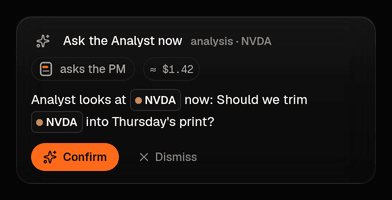
- The card. Type the order in Consult in plain words: "buy 2 MSFT under 495, stop 486", "sell half my XOM", "close V now". Consult does not decide anything: a small grammar reads your words into a typed card, shows what the Executor would say about it right now, and the order is sent only when you press Confirm. Consult itself can never place an order.
Both ask for your and write an audit row (Activity shows it under You). There is no approval step, because you are the approver: the approval line that makes the desk's orders wait in the Inbox does not apply to your own.
What happens after you confirm
- The order is stored as an approved proposal, valid for 10 minutes.
- Within about five seconds the Executor runs it through every risk check the PM's orders face: long only, a day in regular hours, the largest order and largest position your allows, , the , the pattern-day-trade guard, the day's turnover budget (the ticket's last line shows how much of it is used), and any . A check that fails refuses your order with the same plain reason it would give the PM; override a refusal covers the few refusals you may override with your code.
- If it passes, it goes to the broker at your limit (or, for an order "at the market", anchored to the live quote inside your cap) and works there until it fills or the day ends. The sheet says Sent, then Working, then Filled, or Not placed with the reason.
- On a fill, the stop and target you gave are armed as the position's protective exits, watched by the Executor like any bracket the PM sets.
- The PM adopts the position at its next session and manages it under its own view, unless you tick manage myself: then any order the desk writes to change or close that position is refused by policy until you clear the flag on the position.
Close or reduce
Close and Reduce on a position you hold sell all or part of it now. You may leave the price out: the Executor works the sell at the live bid above a floor a few percent under the position's own mark, so a thin quote cannot hand it away. Reduce-only by construction: it can never sell more than you hold or open a short.
What it cannot do
- Bypass the Executor. A paused or halted book sends nothing, yours included; Risk shows the state.
- Trade a live-money book from the sheet on this build, or trade at all where the deployment has switched operator orders off: the button is disabled and says why.
- Trade outside regular hours, use market orders without a cap, or sell short. Opened after the close or before the open, the sheet says the market is closed and when it opens, and keeps its Buy or Sell button off with that reason in the footer; you can still size the order there and come back at the open.
NoteIf what you want is for the desk to trade sooner rather than to trade yourself, How do I get it to trade? has the four ways, including raising so the desk's small orders stop waiting for you.